Operative Dossier
The operative dossier is each student's personal record in Operation LAPIS. It tracks their LP accumulation, mission progress, level, and any transmission you have sent them. Students access it at any time using their operative code; no login is required.
Student URL: mc.practomime.com/op/<operative-code>
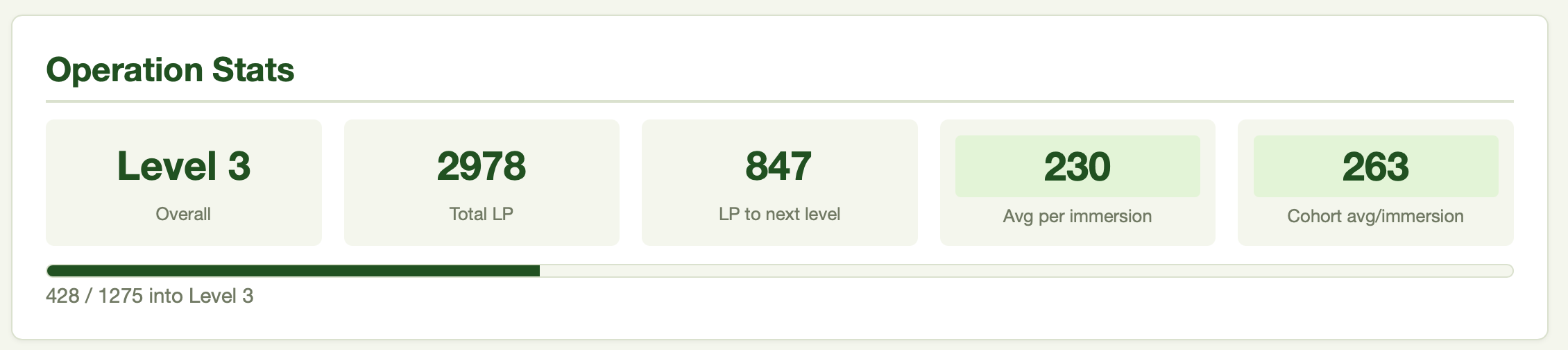
Operation Stats
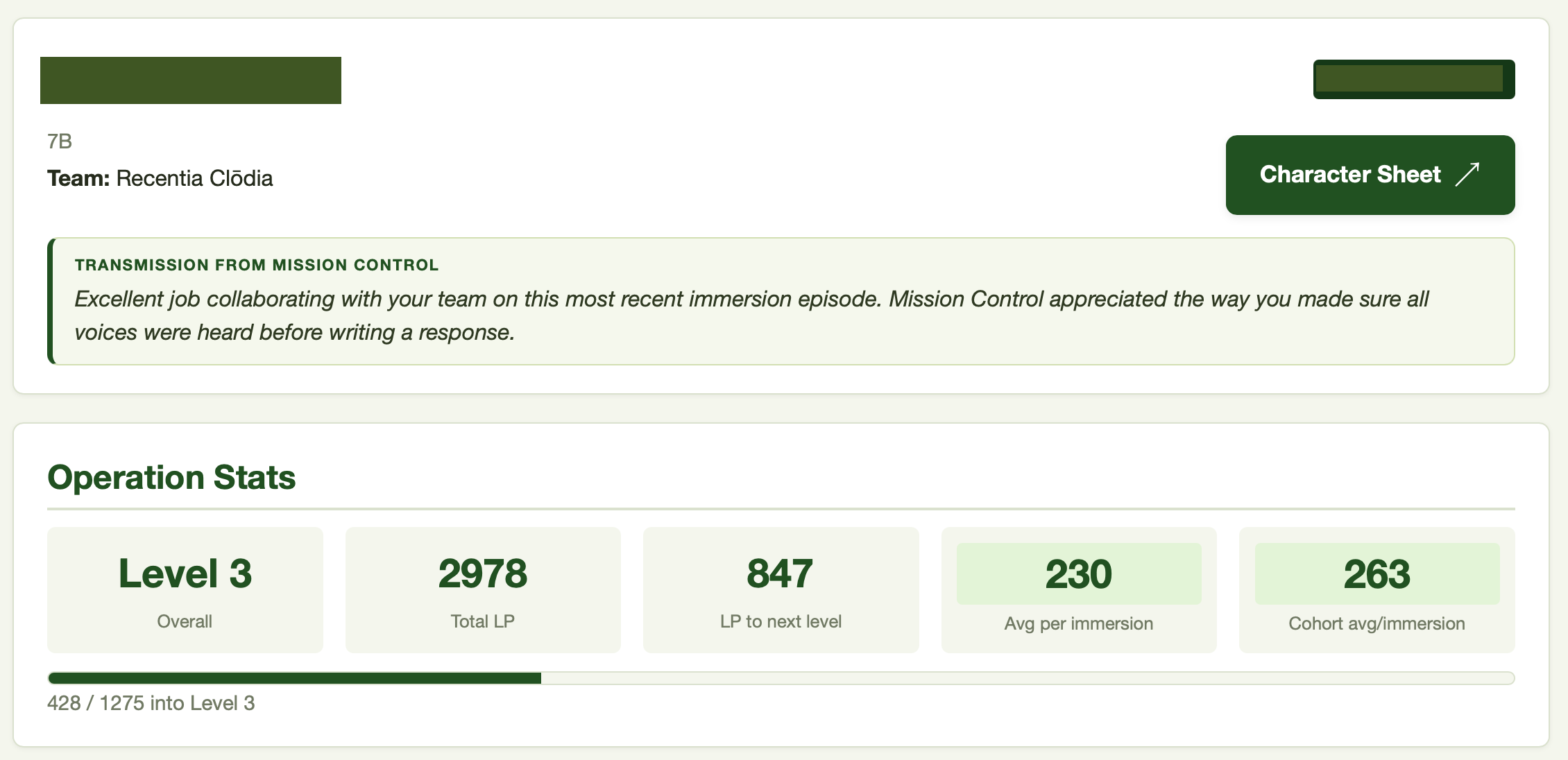
The top stats block gives each student a quick read on their standing in the operation.
- Level -- 1 through 75; one level per 1,275 LP
- Total LP -- cumulative LP across all sources
- LP to next level -- progress bar showing how far to the next level
- Average LP per immersion -- color-coded against the standard rubric bands; a student can immediately see whether their average immersion contribution is green, blue, purple, or red
- Cohort average -- their standing relative to the class
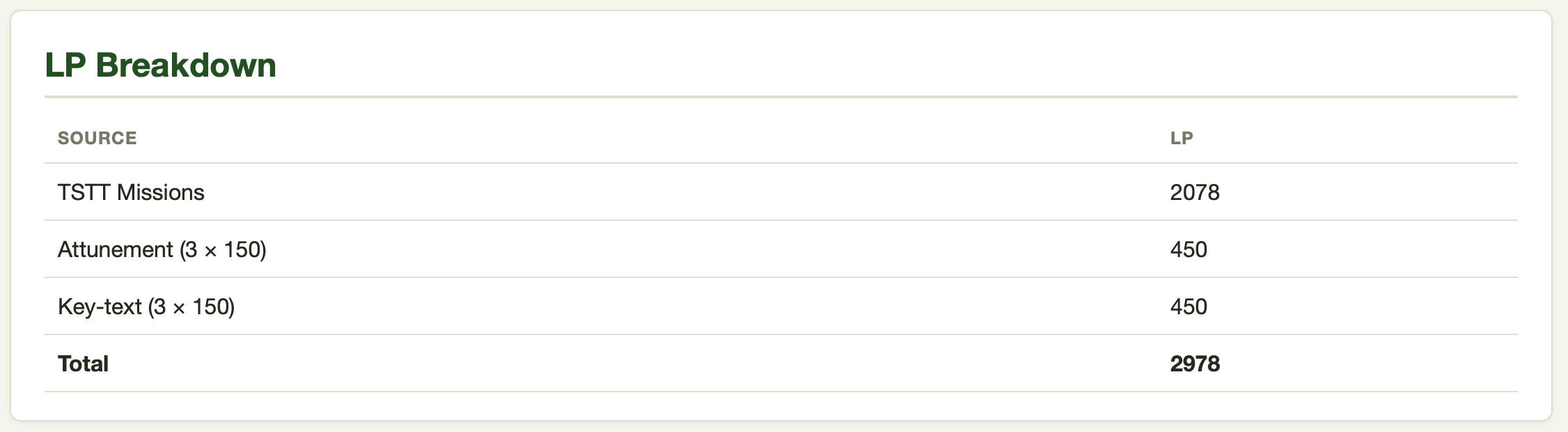
LP Breakdown
Below the stats block, the dossier shows LP totals broken down by source:
- TSTT Missions
- Attunement
- Key-text
- Extra-Operational Awards
- Carta Collēctiōnis (LAPIS cohorts, when card LP has been earned)
- Total
Per-Mission Progress
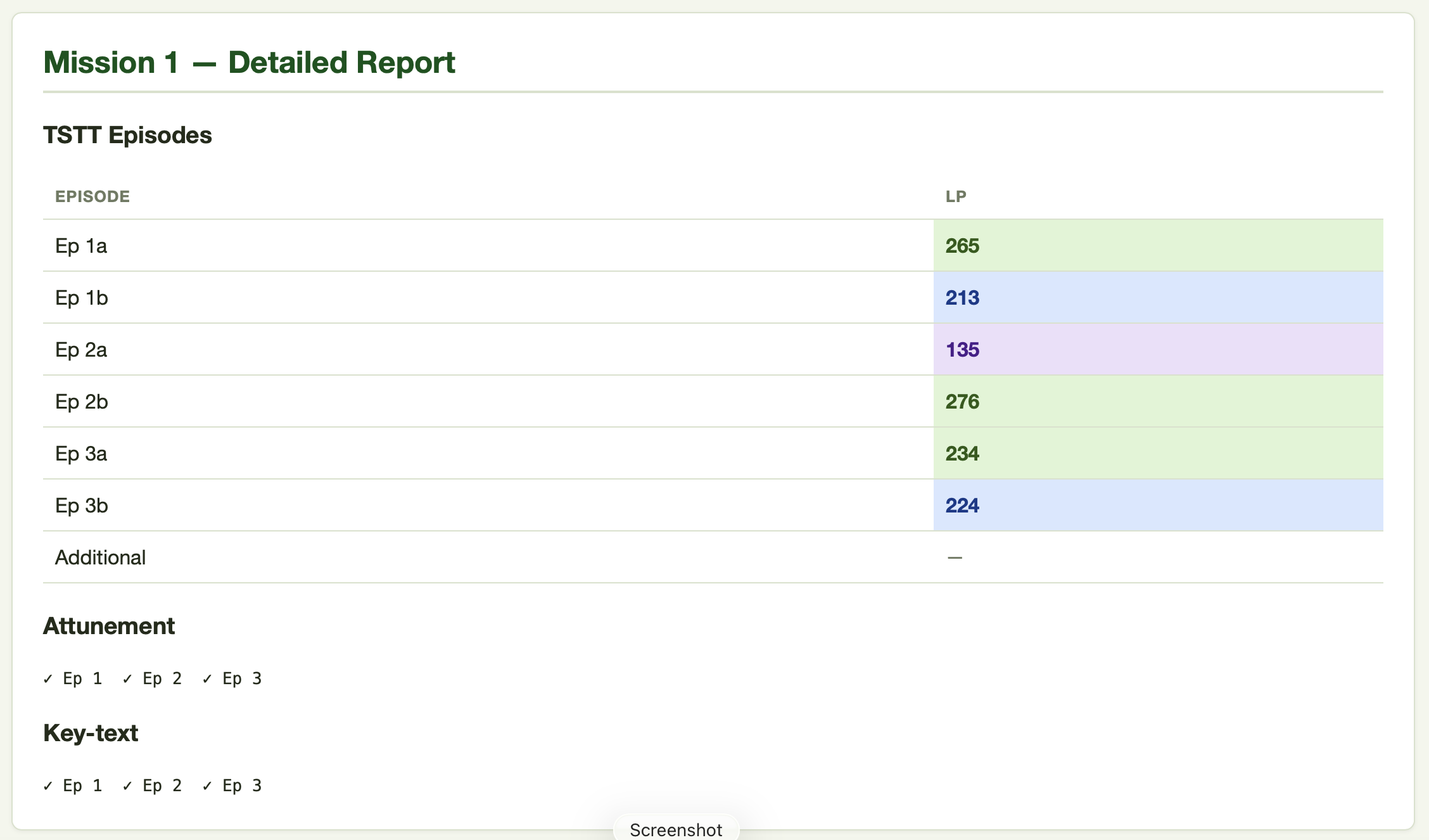
The dossier lists all 28 missions with a row for each. Any mission with LP data shows the TSTT LP, attunement completion count, key-text completion count, and mission total. Clicking Details on any row expands it to show per-episode LP and individual check statuses.
Color Coding
LP values in the dossier are color-coded consistently with the rubric:
| Value | Color |
|---|---|
| 225+ | Green |
| 150–224 | Blue |
| 75–149 | Purple |
| Below 75 and explicit 0 | Red |
| Blank | Not yet attempted |
The per-mission TSTT column uses a relative scheme, scoring by percentage of the maximum LP available in the episodes built so far for that mission, rather than raw LP values.
A student who understands the color bands can read their own dossier as ongoing feedback; they do not need to wait for a grade report.
Carta Collēctiōnis
In LAPIS cohorts with card collections enabled, the dossier includes a Carta Collēctiōnis tab where students hunt and submit Latin forms to build their card collection. Card milestones earn LP that appears on its own line in the LP Breakdown. See Carta Collēctiōnis.
The Transmission
If you have sent a transmission to a student, it appears as a green pill at the very top of their dossier. Submit a blank message in Mission Control to clear it. Transmissions are per-operative; there is no cohort-wide broadcast.
See Mission Control App for how to send transmissions.
Verba Trials
When you deploy a Verba Trial to the cohort, a gold Verba Trial active banner appears directly beneath the transmission at the top of every targeted operative's dossier (the whole cohort, or just the section you chose), with a Begin button (or Continue if they have started). The banner names the trial and its word count and nothing else; the instructions live on the take page itself.
After a student submits, the banner becomes a result pill showing their score. While the trial is still open that number is all they can see; once you close it, the pill's button changes to See results and opens every word with their answer and the meaning. If a newer trial is active, the older result shrinks to a one-line "Previous" link beneath the active banner. Only the most recent completed trial is shown.
Each trial also appears in the Extra-Operational Awards tab (newest award first) as a link to the same page, so students can always find an older trial's results there. See Vocabulary Acquisition & VERBA Trials.
The Character Sheet
The dossier includes a Character Sheet button that takes the student directly to their team's shared character sheet. Students do not need the character code separately if they have access to their dossier.
See Character Mechanics for what the character sheet contains.
Next: Mission Control App